Bitwise Masters Project
Dialogix
A private, local-first viewer for exported ChatGPT conversations.
Dialogix helps you keep a readable archive of your exported conversations in a native app, without requiring an account or sending your imported content to Bitwise Masters servers.
Availability
Available on the App Store
Dialogix is now available for iPhone and iPad. Download it from the App Store to import, browse and search your exported ChatGPT conversations privately.
Download DialogixProduct preview
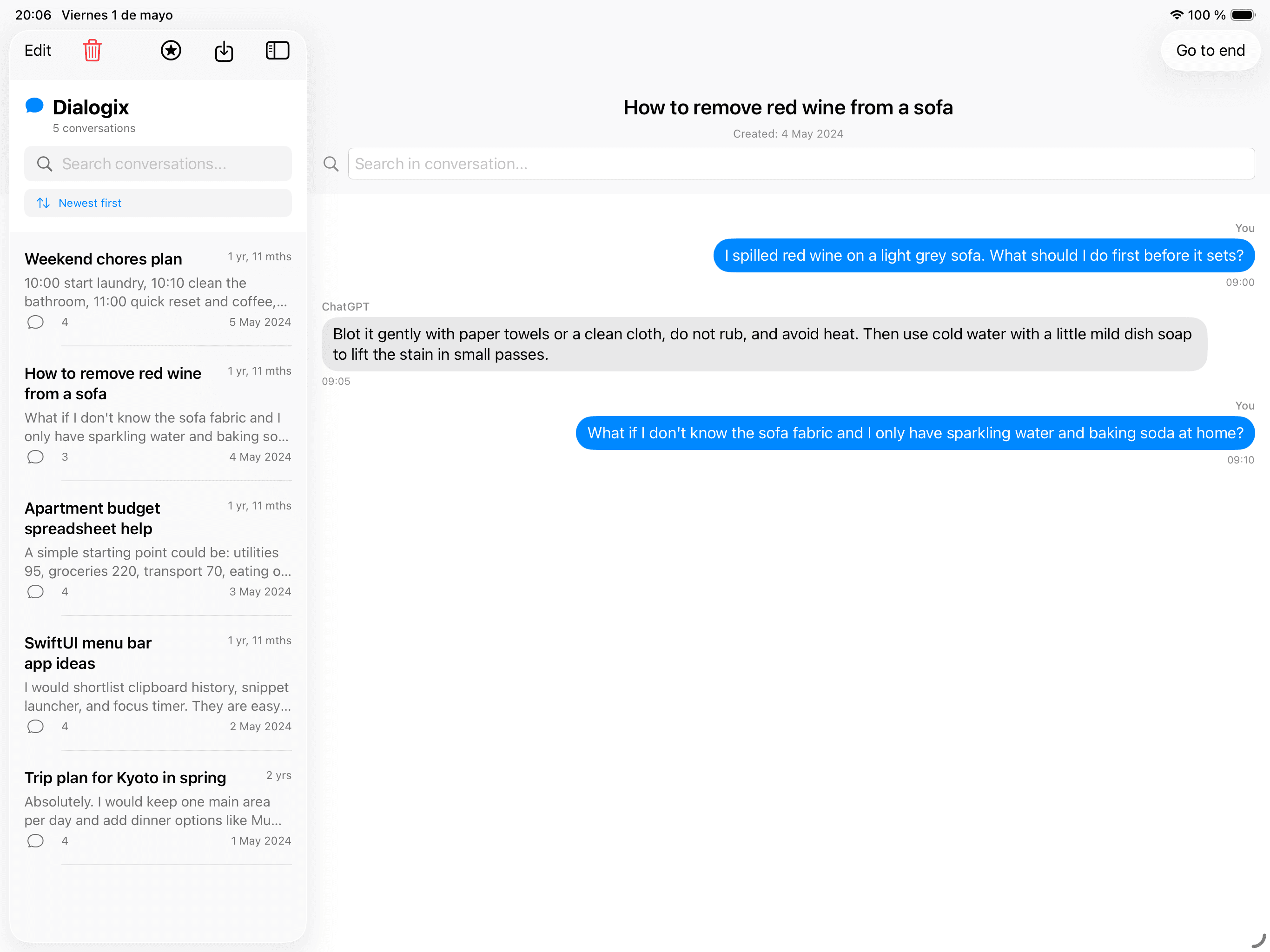
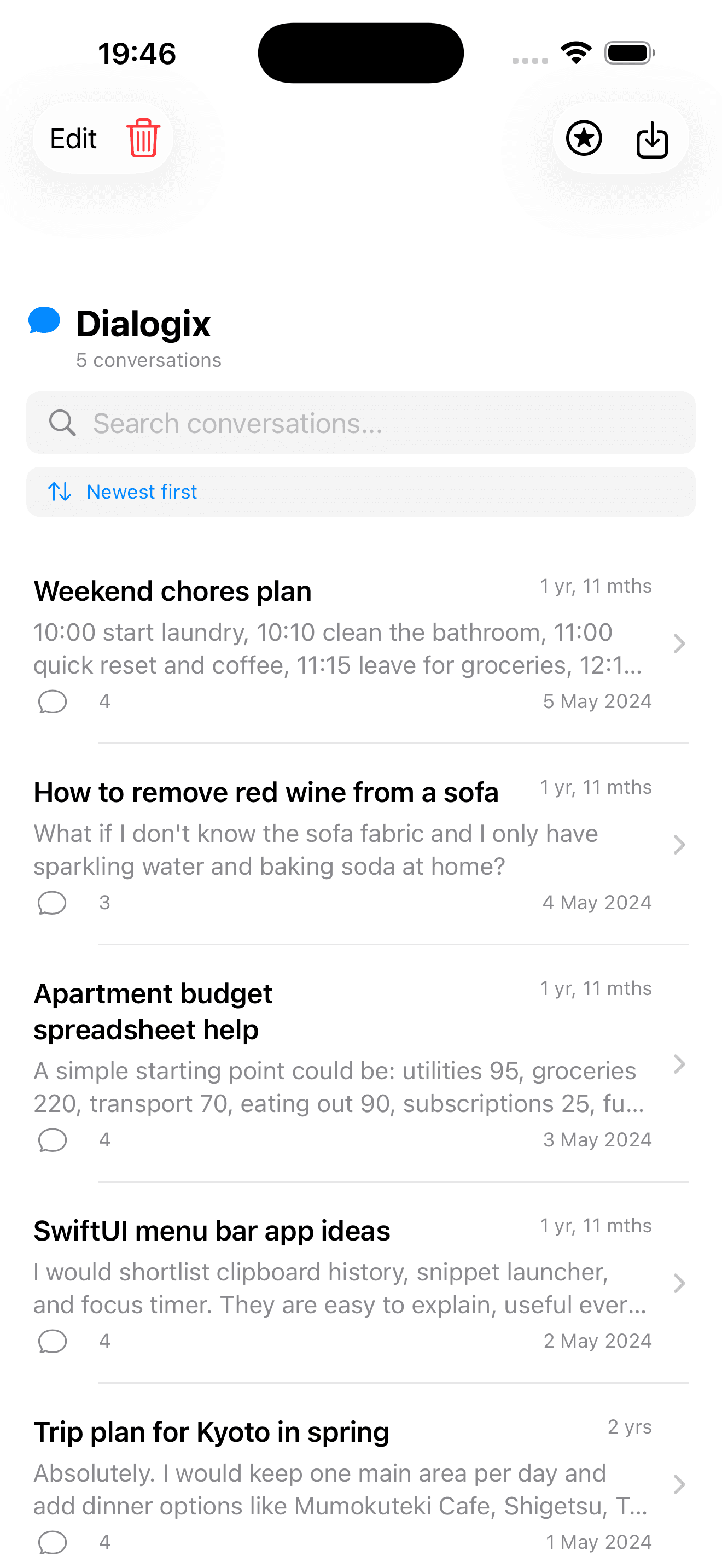
See Dialogix in action
Import your archive, find conversations quickly and read them in a clean native interface across your Apple devices.
Overview
Built for private reading and retrieval
Dialogix is designed for people who want to keep their exported ChatGPT conversations accessible in a clean native interface. Instead of browsing raw export files, users can import supported data and revisit conversations in a format that is easier to read and navigate.
The app is local-first at its core. It does not require a user account to work, and core functionality does not depend on a cloud service operated by Bitwise Masters.
Core experience
- ✓Import the conversations JSON file from a ChatGPT export
- ✓Browse conversations in a native interface
- ✓Search conversation titles
- ✓Read formatted messages with Markdown and code support
Getting started
How to export your ChatGPT data
Dialogix imports the JSON conversation file from an official ChatGPT data export. Request the export from OpenAI first, then extract the ZIP file before importing it into the app.
- Sign in to ChatGPT and open your profile menu.
- Choose Settings, then Data controls, and select Export data.
- Confirm the export request. OpenAI will send an email or SMS message when your export is ready; processing can take up to 7 days.
- Open the message and select Download data export. The download link expires 24 hours after it is sent, so download the ZIP file promptly.
- Extract the ZIP file on your device and locate conversations.json. For larger exports, OpenAI may provide numbered conversation JSON files instead.
- Open Dialogix, choose its import option, and select the supported JSON file. The import is processed locally on your device.
Data access request
Need to use the privacy route?
You can also request a copy of your data through OpenAI’s Privacy Portal. This is the appropriate route for a privacy or GDPR data access request. You may need access to the email address or phone number associated with your account to verify ownership.
Chat exports from Business and Enterprise workspaces may not be available through the standard account export flow. Check with your workspace administrator if you use a managed account.
Privacy-first
Local by default
- No account required to import and browse supported conversation exports.
- Imported conversations are stored locally on the user’s device.
- No cloud dependency for the core app experience.
- Bitwise Masters does not use the app as a channel to collect imported chat content.
Pricing
Free to start, optional upgrades
Free
- Up to 5 conversations
- Title search
Optional one-time add-ons
- Unlimited Import
- Advanced Search
- Content search is included with Advanced Search.
Need more detail?
Review the privacy policy or contact support for help with importing, purchases, or app usage questions.